Pending is a state, not a diagnosis
A pending label means the displayed process is not yet final; it does not identify the reason on its own. In a Zora payment journey, the provider’s state and the casino’s state may update at different times. Start by finding the exact transaction entry and reading any accompanying message. Avoid applying a processing time quoted for another payment method. The relevant information is the status, reference and instructions attached to your own attempt, not a general claim that every deposit should be instant.
Look for an unfinished action before trying again
A payment flow may have asked for authorisation, redirected to another page or displayed an error before completion. Check whether you left an action unfinished, but do not approve a new transaction simply because the original tab closed. Compare the amount and reference of any new prompt with the original attempt. If they differ, you may be looking at a second payment rather than a continuation. Ask the provider or Zora support to identify the original reference when the interface does not make that distinction clear.
Use a simple timeline
Create a short timeline with the submission time, provider notification, casino status and any support contact. For example, an illustrative sequence might show a provider authorisation at 10:02 and a pending casino entry at 10:03. That is evidence of two observed states, not proof of a lost payment or a guaranteed completion deadline. A later reversal should be recorded as another event rather than silently replacing the earlier entry. The timeline makes it easier to explain what changed and which stage remains unresolved.
Separate the payment question from promotional eligibility
A pending deposit and an absent bonus should not be treated as one problem. First establish whether the underlying payment completed and reached the account. Then check the selected promotion’s activation order and eligibility. Making another deposit to test a reward can increase both the financial exposure and the number of transactions support must investigate. If no clear next action is available, pause further payment attempts and request an explanation of the existing reference. A review site cannot approve or release the funds.
Use a two-sided status comparison
Imagine the provider shows “authorised” while Zora shows “pending”. That combination establishes an authorisation and an unresolved casino entry, not a completed deposit. If the provider later shows “reversed” while the casino entry still says pending, the next question changes: you now need to clarify the reversal and the stale-looking casino state. If both sides show completed but the balance does not match, investigate the credit amount, currency and subsequent account movements. These are three different cases. A support message that reports the labels verbatim is more actionable than “the money disappeared”, because it identifies which part of the journey remains unexplained without guessing who caused it.
When a stated processing interval is relevant
If the selected method provides a processing interval, record its wording and starting event. “After approval” is not the same starting point as the moment you first entered the amount. Check whether the message describes calendar time, business days or a separate verification step; do not silently convert one into another. If the stated interval passes, send the original reference and timeline through the designated support route. This guide does not supply an invented deadline when none is disclosed. An automatic acknowledgement of your enquiry also does not restart or settle the payment itself. Continue tracking the transaction and the support case as two related records.
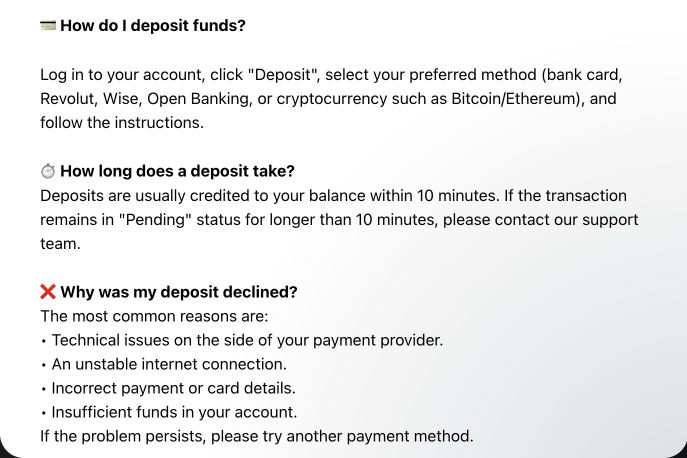
The deposit Help available through Zora’s support gives a practical escalation point: it describes deposits as usually taking up to ten minutes and tells readers to contact support when Pending continues beyond ten minutes. Treat that as the help article’s guidance, not a guaranteed processing time. When following it, send the original reference and both visible statuses; starting a new payment is not the same as asking about the delayed one.